Random Events in Bus Simulator 27
Traffic disruptions, passenger incidents, police, and construction — no two trips are the same on Felicia Bay roads.
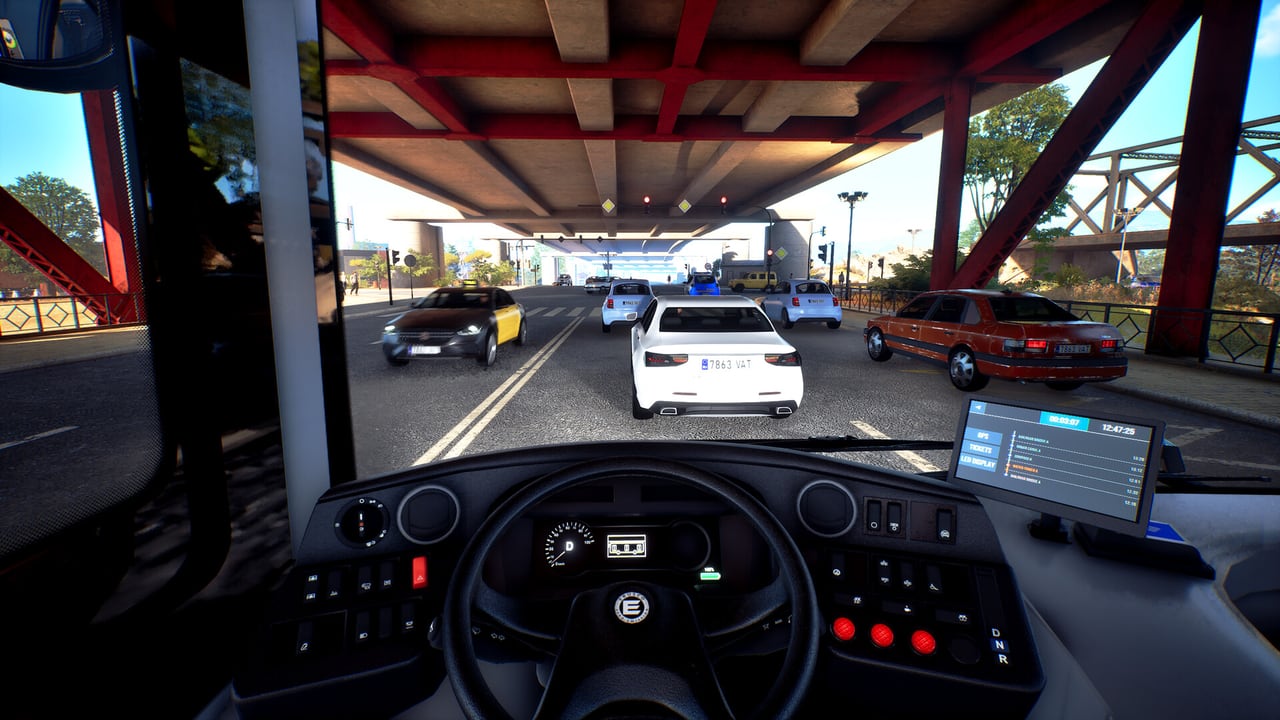
No two trips are the same in Bus Simulator 27. The game runs random events during service that disrupt timetables, test your attention, and prevent the route from becoming a repetitive loop. These events fall into two broad categories: external disruptions that affect traffic and your planned path, and interior events that require action from inside the bus.
Official descriptions and community gameplay footage confirm that events are a core part of the simulation, not optional toggles. The difficulty settings determine how frequently events fire and how strictly traffic rules are enforced, but the event system itself is always present.
Traffic events
Traffic events originate outside your bus and affect the road network. They include accidents, road construction, vehicles blocking bus stops, and congestion that builds without an obvious cause. These events are visible through your mirrors and windshield before they affect your route, which means early recognition is part of the skill of managing them.
Roadworks are a named event type that creates temporary lane restrictions. Official TikTok content from astragon describes roadworks as one of the events you will encounter while driving. A roadworks event does not simply disappear — it forces a detour or a delay that compresses your timetable.
Police vehicles passing through your route are also part of the event pool. Community discussions and gameplay videos mention police cars appearing during service, which triggers a response from your bus but does not necessarily end the run.
Traffic accidents create debris and congestion. An accident ahead means brake early, assess the lane configuration, and determine whether the route can continue on the current path or requires a detour. The decision is yours; the game does not auto-skip the disruption.
Passenger events
Passenger events happen inside the bus and require your attention as the driver or as an inspector riding along. These events are part of the passenger care dimension of the simulation: you are not only operating a vehicle, you are managing the people inside it.
Community discussions confirm several named event types. Passengers falling asleep is a recurring situation — the bus stops, and the sleeping passenger does not exit, requiring a wake-up action before the service can continue. Passengers listening to music at excessive volume is another interior event; the driver must ask them to reduce the volume or use the horn to get their attention.
Passengers blocking doors is a documented event type. Someone standing in the doorway prevents the doors from closing, which means the bus cannot leave the stop. Resolving this requires a verbal prompt or horn action, not a separate menu.
Wheelchair and accessibility events are part of the system. A stop that includes a passenger requiring the ramp triggers the accessibility procedure described in the how to drive guide: deploy the ramp, wait for boarding, stow the ramp, release the parking brake.
Event frequency and difficulty
The difficulty settings described on the official FAQ directly control event frequency. Relaxed difficulty reduces traffic events and lowers passenger event counts — this is the setting for players who want to learn routes without constant interruptions. Medium difficulty activates most traffic discipline penalties and a baseline passenger event load. Intense difficulty runs frequent events with all traffic discipline penalties active and the full range of passenger situations.
Custom difficulty lets you tune each axis independently. You can run with frequent passenger events but minimal traffic disruptions, or vice versa, by adjusting the sliders in the custom option.
The relationship between events and penalties is direct: traffic violations during an event (running a red, blocking a box junction) accumulate discipline penalties that affect your company reputation and income in Career mode.
Handling events without abandoning the timetable
The instinct when an event fires is to rush. Resist it. A timetable that is five minutes late is recoverable on the next leg if you drive smoothly. A timetable that is ten minutes late because you overtook through a roadworks zone and accumulated penalties is harder to fix. Events reward calm adaptation, not aggressive recovery.
For traffic events: assess, signal, and re-plan before you act. An accident at the next intersection does not require immediate lane changes if your current lane is clear. Indicate before you move. Check mirrors. Then proceed.
For passenger events: deal with the person, then deal with the clock. A sleeping passenger at a terminus stop is a problem only if you leave without them. An open door because someone is blocking it resolves by addressing the block first, not by forcing the door cycle.
Events in multiplayer
Co-op partners can respond to events that the driver cannot handle alone. A co-op partner riding as an inspector can address passenger events — volume, sleeping passengers, door blocking — without the driver leaving the cab. This division of labour is the realistic split between a driver focused on the road and a conductor managing the compartment.
For traffic events, communication between co-op drivers on the same route helps. If the lead player encounters a roadworks zone, radio information to the following player on the same line allows the second driver to prepare an alternate approach before arriving at the disruption.
What this page will not invent
The complete event list has not been published by Simteract. Community discussions mention sleepers, music, door blockers, police, roadworks, and accidents. This page describes confirmed event categories and the mechanics of handling them. It will not publish a full checklist of every event that can fire, because that data has not been officially released.
Related pages
How to drive covers the service loop where events interrupt your run. Controls has the key bindings for horn, doors, and ramp. Game modes covers difficulty settings in detail. Multiplayer covers co-op event handling between driver and inspector.
Events are active in the full game from 8 September 2026. The demo samples the cab but the event system is not fully exposed in the demo build.
Frequently Asked Questions
Quick answers about Bus Simulator 27.
What types of random events occur in Bus Simulator 27?
Two categories: external traffic events (accidents, roadworks, congestion, police) and interior passenger events (sleeping passengers, music, door blocking). Difficulty settings control how frequently each type fires.
How do I handle a sleeping passenger?
Stop at the next station and prompt the passenger to wake and disembark. Do not leave the stop with them still asleep in the compartment.
What do I do when a passenger blocks the door?
Address the person blocking the door — use the horn or a verbal prompt to get them to move. The doors will not close until the obstruction is cleared.
Does difficulty affect event frequency?
Yes. Relaxed has fewer events, Medium has moderate events, and Intense has frequent events with all traffic penalties active. Custom difficulty lets you tune each axis independently.
Can a co-op partner handle passenger events while I drive?
Yes. A partner riding as an inspector can address interior events — sleeping passengers, music, door blocking — without the driver leaving the cab.
Are events in the Steam demo?
The demo samples driving and some event types may fire during the demo runs. The full event system with all difficulty variations is available in the 8 September 2026 launch build.