Graphics Settings in Bus Simulator 27
Unreal Engine 5 Felicia Bay with NVIDIA DLSS, AMD FSR, and optional frame generation — no invented preset names.
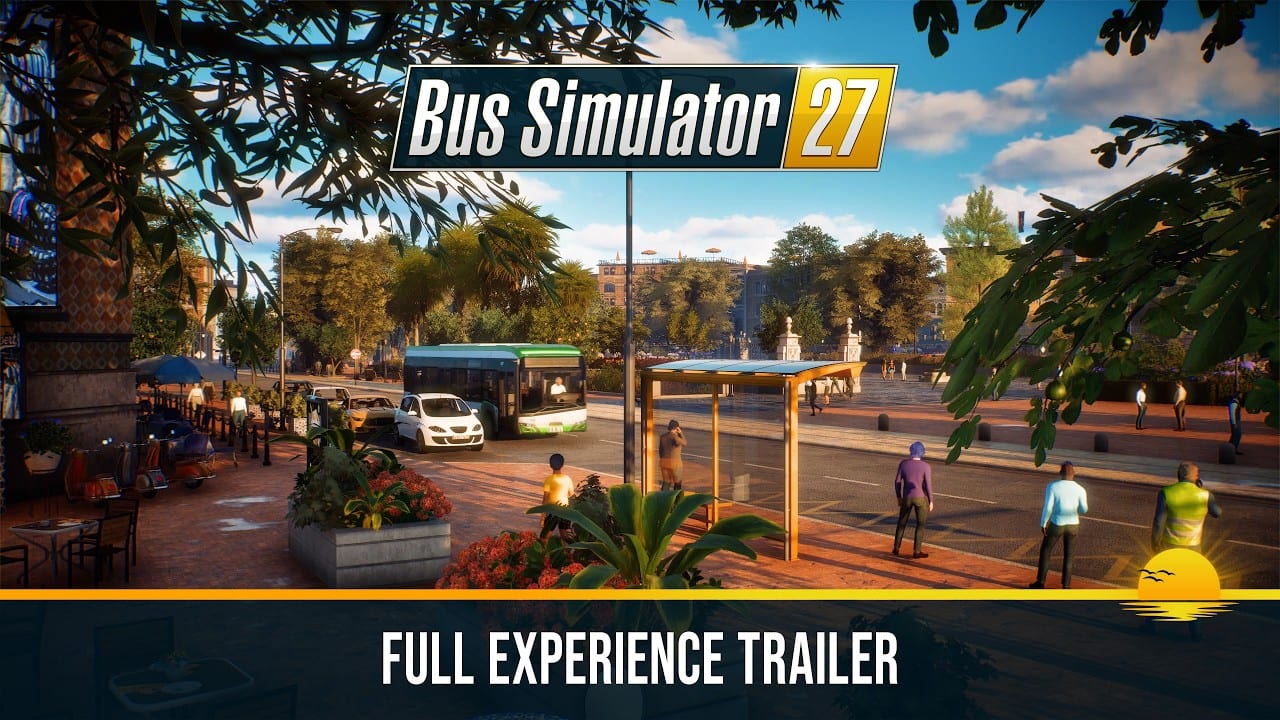
Bus Simulator 27 runs in Unreal Engine 5. That is the reason a sunny Iberian-inspired region with two cities, twenty districts, traffic, passengers, and a day-night cycle can look expensive on a GTX 1060-class card. This page is about the graphics options the developers have actually named: NVIDIA DLSS, AMD FSR, and — on supported hardware — frame generation. It will not invent in-game preset titles, slider names, or a fake “best competitive settings” card.
If you do not yet know whether the PC is even in range, start with system requirements. Steam’s minimum is Windows 11 64-bit, 16 GB of RAM, and a GTX 1060 / RX 580; recommended is 32 GB and a GTX 2080 Ti / RX 7800 XT. Epic and other stores can list different numbers. Cite Steam, then tune graphics.
What the 18 June 2026 demo patch added
The Steam demo went live on 15 June 2026 as a beta-status build. Performance was one of the loudest topics during Steam Next Fest. On 18 June 2026, Simteract and astragon shipped a demo patch that:
- Added NVIDIA DLSS support.
- Added AMD FSR support.
- Noted that, depending on hardware and selected settings, those options may also offer frame generation.
- Reduced repeated story voice lines in city and intercity missions (audio, not graphics, but it landed in the same patch).
- Improved Logitech G923 Xbox wheel support (input; see steering wheels).
DLSS and FSR had been planned for the main game. The team brought them forward so the second half of Next Fest — and anyone still on the demo after it — could use modern upscalers. That is the entire official graphics feature list this wiki will treat as fact until a later patch names more.
The full game is still scheduled for 8 September 2026, with Year 1 Advance Access from 3 September 2026. Expect the options screen to grow. Do not assume every demo stutter will still be there, and do not assume launch will magically double your frame rate without DLSS or FSR.
DLSS versus FSR, without marketing fog
NVIDIA DLSS is the upscaler to try first on a supported NVIDIA GPU. It renders the game internally at a lower resolution and reconstructs the image. On newer NVIDIA hardware, the same settings cluster may also expose frame generation, which inserts extra frames. Frame generation can smooth a coach cruise and can add latency to a tight Mequina stop. If the bus feels late on the brake, turn frame generation off before you touch steering sensitivity.
AMD FSR is the upscaler to try first on a supported AMD GPU, and it is the usual fallback when DLSS is not in the list. The 18 June 2026 notes group FSR with DLSS as the pair that can improve framerate while aiming to keep image quality high. FSR implementations can also offer frame generation on some hardware; the patch text says “may,” not “will.” If the option is there and the frame time is still spiky, try it. If the option is missing, you are not owed it by this wiki.
This page will not rank Quality / Balanced / Performance mode names unless a later patch note prints them. Use whatever labels you see in the menu: start with the higher-quality upscaler mode, then step down only if the city line still hitchs.
Demo stutter advice that does not invent presets
The demo is not the final game. Developers said it would be polished and fine-tuned toward launch. Stutter in June 2026 is a data point, not a lifelong sentence. Still, you can make the current build more honest:
- Cap the frame rate near a value your GPU can hold. An unlocked 90–120 that dips to 40 every stop feels worse than a stable 60.
- Turn on DLSS or FSR before you start disabling scenery. Upscalers were the patch the team shipped specifically for this complaint.
- Test two routes. The Mequina city line (Solaris Urbino 12 electric) stresses passengers, stops, and traffic. The Tourismo leg toward Alcaztelar stresses views and mountain distance. If only the city hitches, you are probably paying for simulation, not only pixels.
- Close overlays. Vendor overlays, broadcasting software, and a browser with a 4K trailer looping will fake a GPU problem.
- Watch RAM. Steam recommended is 32 GB. 16 GB is the minimum. Unreal Engine 5 plus a city will not share nicely with everything else you left open.
- Do not chase a named preset that is not in the menu. There is no copied competitive profile here.
If you sit on the Steam minimum GPU, upscalers are not optional flavour. They are the reason that 1060 / 580 line is even plausible in UE5. If you sit on the recommended 2080 Ti / 7800 XT line and still hitch after DLSS or FSR, log a capture, check the demo patches page, and wait for launch polish before you replace a card that already meets Steam’s upper row.
Unreal Engine 5 costs you should expect
Felicia Bay is pretty on purpose: coastal light in Mequina, mountain depth in Alcaztelar, weather, night, interiors, and a lot of moving people. UE5 typically spends budget on:
- Lighting and shadows in sun-heavy streets.
- View distance on coach roads.
- Crowds and traffic near stops.
- Reflections on glass-heavy city buses such as the Urbino 12 electric.
Lowering an unnamed “effects” or “view distance” control — whatever the menu actually calls it — is the second pass after upscalers. The first pass is still DLSS or FSR. The third pass is resolution: 1440p with a quality upscaler often looks better than native 4K that hitchs every time a stop fills.
4-player online co-op with crossplay adds other people’s buses and roles. If you host, treat recommended RAM and a frame cap as part of graphics, not only as a CPU problem.
A simple order of operations
- New install → confirm Steam specs on the system requirements page.
- Stutter on first boot → cap FPS, enable DLSS or FSR, retest city then coach.
- Still stuttering → reduce resolution or the heaviest scenery option you can actually find in the menu.
- Input feels late after frame generation → disable frame generation, then retune the steering wheel or pad.
- Image looks soft → step the upscaler toward higher quality, do not disable it entirely on a minimum GPU.
Use the demo guide so you are testing the same routes other players mention. Use how to drive so you do not confuse a missed stop with a frame-time spike.
Launch week will still be a graphics conversation. Come back when a patch names a new upscaler mode or a frame-generation toggle, and ignore any copied “best settings” list that invents presets this game has not printed. DLSS or FSR first, a frame cap second, scenery third. That order is the whole graphics guide until Simteract publishes more names.
Frequently Asked Questions
Quick answers about Bus Simulator 27.
Does Bus Simulator 27 support DLSS and FSR?
Yes. The 18 June 2026 demo patch added NVIDIA DLSS and AMD FSR. They had been planned for the full game and were brought forward after demo performance feedback.
Is frame generation in the game?
The patch notes say DLSS and FSR may also offer frame generation depending on hardware and selected settings. If you see the option and the bus feels late, turn it off.
What graphics preset should I use?
This wiki does not invent preset names. Use the labels in your menu. Enable DLSS or FSR first, cap the frame rate, then lower the heaviest scenery option you can actually find.
Why does the demo stutter on a card that meets Steam specs?
The demo is a beta-status Unreal Engine 5 build. City routes add traffic and passengers. Try an upscaler and a frame cap before you replace a GPU that already meets Steam’s table.
Should I run native 4K without an upscaler?
Only if the frame time stays stable on both a Mequina city line and a coach run toward Alcaztelar. A quality DLSS or FSR mode at a lower internal resolution is the more realistic path near minimum spec.
Where are the Steam hardware numbers?
On the system requirements page. Other storefronts can list different figures. Cite Steam for PC, then return here to tune DLSS, FSR, and frame generation.