Bus Simulator 27 PC Modding
Official mod.io support on Windows for extra buses and skins — not in the demo, not on consoles.
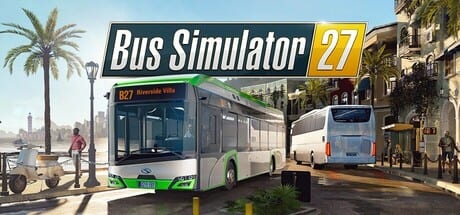
Bus Simulator 27 lists PC modding as an official feature. Steam, Epic, and astragon pages all say you can expand the game through mod.io on Windows. A Steam news post about the demo went further: with the help of the modding kit you will be able to create your own buses and bus skins. That kit is a full-game promise, not a Next Fest toggle.
Consoles are not part of this sentence. PlayStation 5 and Xbox Series X|S get the licensed roster, crossplay co-op, and the same Felicia Bay map. They do not get a storefront sentence about mod.io. If you need user buses, you are on PC.
The Steam demo (app 4311090) shows locked tiles for systems that arrive with the 8 September 2026 launch. Treat the modding kit as one of those tiles. Year 1 Advance Access on 3 September 2026 is the earliest a Year 1 PC owner should expect to look for a mod.io button. This wiki will not invent a workshop URL that Simteract has not published in a patch note.
What official text actually promises
- Expand the experience with mod.io mods on PC.
- Create your own buses and bus skins with the modding kit (demo news, full-game context).
- Customize buses with wraps and advertisements inside the live company loop — that last item is a Career/company management tool, not a mod.io upload.
Do not mix those three. In-game wraps are a management income line. User buses are a PC kit. Licensed Solaris, Mercedes-Benz, MAN, IVECO BUS, Scania, Volvo, Alexander Dennis, Blue Bird, Vicinity, Ebusco, SAFRA, and HESS models remain the fleet hub baseline either way.
What you should not expect from this page
No script list. No “paste this in” installer. No claim that a third-party trainer is part of mod.io. This is a sim with an official kit, not a Roblox-style script hub. If a page on this wiki ever reads like a cheat dump, it does not belong here.
No compatibility matrix for every Workshop item that might appear after launch. When mod.io goes live, trust the in-game browser and the official collection, then come back here for a short how-to once the button exists.
How mods should sit next to Career
Career money still cares which bus you put on a Mequina line. A user skin on a licensed Urbino is cosmetic. A user bus with broken doors is a support ticket. Test new files in Sandbox before you assign them to a paid Career route. Co-op partners need the same mods if the session shares vehicles; confirm that after launch rather than assuming crossplay carries PC files onto a PS5.
Graphics and wheels stay on their own pages: graphics settings and steering wheels. A stutter after a heavy user model is not an excuse to ignore DLSS.
Practical launch-week order
- Finish the demo so you know the stock cab.
- Meet Steam’s system requirements.
- Unlock the full PC build on 3 September (Year 1) or 8 September (Standard).
- Drive one stock city line and one stock coach before you subscribe to anything.
- Open mod.io from the official in-game or launcher entry, not from a random download site.
Storefronts and socials live on the Links Hub. Dates live on Advance Access and release date. This page stays a PC footnote until Simteract publishes the kit’s real UI.
Frequently Asked Questions
Quick answers about Bus Simulator 27.
Does Bus Simulator 27 have mods?
On PC, official pages promise mod.io support and a kit for custom buses and skins. That kit is not in the Steam demo.
Can I mod on PS5 or Xbox?
Official mod.io sentences are PC-only. Consoles get the licensed fleet and crossplay, not the kit.
Are in-game wraps the same as mods?
No. Wraps and ads are company tools. User buses and skins are the mod.io kit. See company management.
When can I open mod.io?
Treat it as a full-game PC feature around the 8 September 2026 launch (3 September for Year 1 Advance Access). The demo keeps those tiles locked.
Will this wiki host scripts?
No. Use official mod.io. This page will not publish injectors or cheat lists.