Bus Simulator 27 Controls
Demo keyboard defaults for walking, driving, drive mode, doors, and the map — bindings can still change at launch.
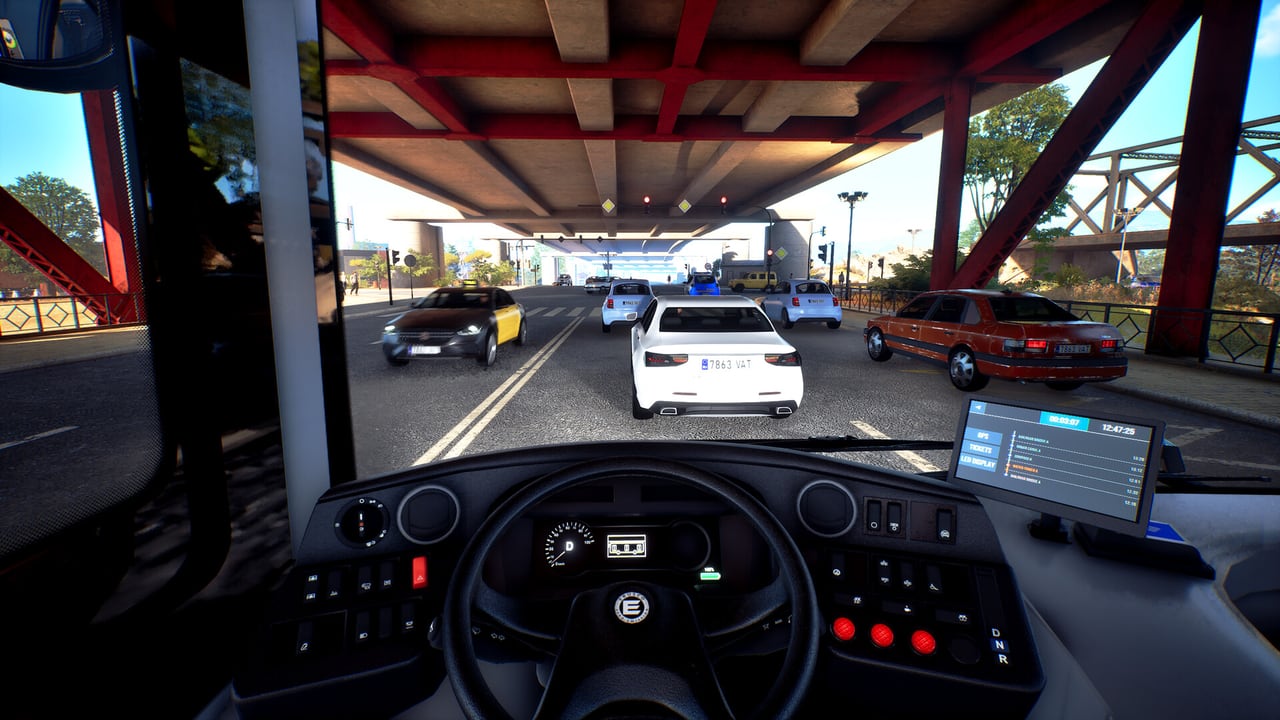
These are the default PC bindings published for the Bus Simulator 27 demo. They can change before the 8 September 2026 full launch. Simteract still lists steering-wheel support as work in progress, and the 18 June 2026 demo patch already retuned at least the Logitech G923 Xbox wheel. Recheck the in-game list after every update. For the order you press these keys on a live line, use how to drive. For wheel hardware, use steering wheels.
If you have not installed the demo yet, start with Getting Started and the demo walkthrough. This page is a key list, not a route guide.
On foot
| Action | Default key |
|---|---|
| Walk forward / back / left / right | W A S D |
| Run | Left Shift |
| Jump | Space |
| Leave passenger seat | X |
On-foot movement matters more than in older numbered entries because you can leave the bus, walk Felicia Bay, and ride as a passenger. X is the seat-exit key when you are not the driver. Do not look for a dedicated “enter cab” key in this table; boarding is context on the door or cab interaction, and that prompt can differ between demo missions.
Driving
| Action | Default key |
|---|---|
| Throttle | W |
| Brake | S |
| Steer left / right | A / D |
| Cycle battery | I |
| Left / right indicators | Q / E |
WASD is the same cluster as walking, which is why first sessions mix up run-on-foot with throttle-in-cab. Cycle battery (I) is relevant on the demo’s Solaris Urbino 12 electric; it is not a diesel ignition substitute. Indicators are Q and E — use them before you pull off a stop, not after the car behind you has already committed.
A speed limiter exists in the binding list. This page does not invent a default key for it because public listings disagree about the exact assignment. Open Options and bind it somewhere you can hit without leaving the wheel or WASD cluster.
Transmission and drive mode
| Action | Default key |
|---|---|
| Gear up | R |
| Gear down | F |
| Drive | F7 |
| Neutral | F8 |
| Reverse | F10 |
The demo city bus is electric. The Urbino 12 uses drive mode rather than a conventional gearbox: F7 Drive, F8 Neutral, F10 Reverse. Tutorial voice-over even catches itself saying “transmission” before correcting to drive mode. Keep R and F in mind for coaches and any future diesel or CNG model that still wants gears; do not mash them on the Urbino expecting extra torque.
If the bus will not move, the usual demo faults are Neutral still selected, parking brake on, or the computer not logged in — not a missing clutch key. See how to drive for that checklist.
Doors
| Action | Default key |
|---|---|
| Individual doors | 1 / 2 / 3 / 4 / 5 (numpad duplicates work in the demo listing) |
| All doors | 6 |
City service wants individual doors so you are not opening the entire nearside on a short stop. Coaches still use the same numbers; you will simply touch fewer of them. Number-row and numpad both appear in public demo listings. If 1–6 do nothing, you are probably in a pause menu or still on foot.
Keep the front door closed while moving. That is a tutorial safety line, not optional flavor.
Camera, map, and pause
| Action | Default key |
|---|---|
| Map | Tab |
| Pause | Esc |
Tab is the map, which is how you confirm the next stop on the Mequina loop or the coach toward Alcaztelar. Esc pauses. Camera look is mouse-driven on keyboard; gamepad and wheel camera bindings live in the same options screen and are not frozen here because they depend on the device.
Cab functions listed without a public default
Public demo listings confirm ignition or power, parking brake, lights, air conditioning, wheelchair ramp, bus computer / login, and GPS. This page does not invent keys for those functions. Bind them before your first City Drive so you are not hunting the computer while a stop fills. Serving a line requires the bus-computer login; driving around with the cab powered is not the same as being on the line.
Lights, AC, and the ramp show up in city work more than on the Tourismo cruise, but the ramp is part of accessible stops in both contexts when the mission calls for it.
Gamepad and steering wheels
The demo accepts keyboard, gamepads, and several wheels. Official materials promise support for popular wheels and pads at launch, with the list still being polished. The 18 June 2026 patch improved Logitech G923 Xbox support specifically. If your G29, G923, or similar wheel feels unfinished, that matches the work-in-progress note, not a unique install failure. See steering wheels and demo patches.
Console players on PS5 and Xbox Series X|S will not use this WASD table. Use the in-game layout on those platforms. The service sequence — power, drive mode, computer, doors — is the same; only the buttons change.
Practice order
Bind doors and drive mode first. Then bind parking brake, computer, and ramp. Then indicators and battery. Then worry about camera and limiter. Run that order in the demo tutorial before City Drive. If you already know you care about coaches, take the same bindings onto the Tourismo instead of creating a second scheme — then read coach routes before the intercity missions.
For map context while you learn Tab, keep Felicia Bay open. For company tools that never appear as keys in this demo, see company management. Groups waiting on 4-player sessions should read multiplayer rather than searching the pause menu for a party panel that the demo does not include.
The guides hub links every procedure page. This controls list is only useful if you recheck it after launch — treat 8 September 2026 as a new binding pass, not a copy of June.
Frequently Asked Questions
Quick answers about Bus Simulator 27.
Are these Bus Simulator 27 controls final?
No. They are public demo defaults and may change at launch. Wheel support is still described as work in progress. Recheck bindings after you install the full game.
How do I put the electric Urbino in Drive?
Use drive mode: F7 Drive, F8 Neutral, F10 Reverse on the demo keyboard layout. The Urbino 12 electric does not use a conventional gearbox. Gear up/down (R/F) is for vehicles that still have gears.
How do I open bus doors?
1–5 toggle individual doors; 6 toggles all doors. Practice this in the demo tutorial before the timed city line.
Where is the speed limiter key?
A speed limiter exists in the binding list, but this page does not invent a default because public listings are inconsistent. Bind it in Options before a coach run.
Do steering wheels work in the demo?
Several wheels are supported, with ongoing polish. The 18 June 2026 patch improved Logitech G923 Xbox support. See steering wheels.
What should I read after learning the keys?
Open how to drive for the service sequence, then either coach routes or the demo walkthrough depending on which mission you are about to run.