Tickets, Stops & Passengers in Bus Simulator 27
Fare zones, stop procedure, passenger boarding, ticket checks, and the income loop that keeps your company running.
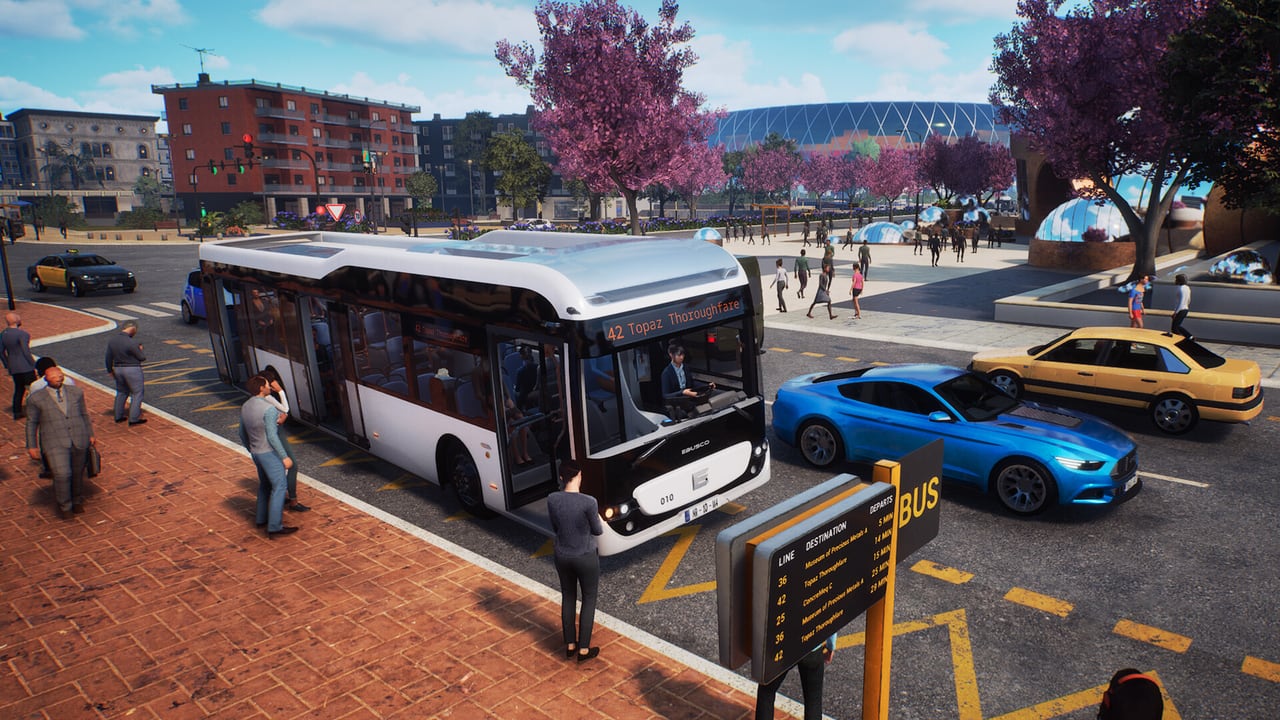
A bus line is not just a route on the map. It is a commercial service that sells rides, carries passengers, and generates the income your company needs to expand. Bus Simulator 27 models this with a fare and ticket system, passenger demand at stops, and the inspector role that verifies tickets while the bus is in service. This page covers how those systems work, what they mean for company planning, and what the demo can and cannot show you before the 8 September 2026 full launch.
If you are looking for the cab skills to serve a line — doors, bus computer, timetable — start with how to drive. This page is about the commercial layer underneath that procedure.
Fare Zones and Ticket Types
Official materials describe fare zones and ticket types as part of the in-game commercial system. When a passenger boards, the game tracks which zone they entered and which zone they intend to leave. The ticket or fare the passenger holds determines how far they can travel on that ride before the fare is considered invalid.
Press coverage from first-look sessions describes a UI where a passenger wants a fare, the game shows a pricing zone, and the driver or inspector picks between regular and other ticket types. That interaction happens inside the bus, not at a separate ticket office. The roles page covers inspector and passenger as separate gameplay choices; fare and ticket types are the data layer those roles interact with.
Different ticket types may carry different validity windows — a single ride, a day pass, a discounted student or concession fare. This wiki will not invent a price list or a validity table that official sources have not published. When the full game is live, the in-game ticket UI is the source of truth.
For company planning, fare revenue is the output of a route. A line that runs through high-demand zones and carries many passengers generates more income than a scenic loop that runs half-empty. Route design is covered on company management; ticket economics is the reason the route matters beyond the map.
Bus Stops and Stop Procedure
Bus Simulator 27 has more than 250 confirmed bus stops across Felicia Bay. Each stop is a named location where passengers board and alight. Serving a stop correctly is both a driving skill and a commercial obligation: passengers expect the door they are standing at to open, and the ticket system tracks whether the people on the bus hold valid fares for their journey.
The how to drive guide covers the physical procedure: approach in a straight line, parking brake on, open the correct door, wait for boarding to finish, deploy the wheelchair ramp if the stop requires it, close doors, release brake. The commercial layer adds one more step: the passengers on the bus after the stop should have valid fares for their destinations.
Not every stop is equal. Some are timing points where the timetable says wait. Some are request stops where passengers flag the bus. Some are terminus stops where the route ends and everyone alights regardless of ticket. The game distinguishes these in its stop flags; the coach routes page covers terminus behaviour on long-distance legs.
Passenger Boarding and Demand
Passenger volume at a stop is not random. Official descriptions point to demand modelling that reflects real transit patterns: busy urban corridors near stations and waterfronts draw more passengers than quiet residential side streets. That demand is the income signal for your company. A stop that consistently generates high boarding but low revenue may indicate the route is serving the wrong passengers, or that fares are priced above local willingness to pay.
As the company grows, passengers also have expectations beyond the fare. They care about on-time performance, bus cleanliness, and door behaviour. A driver who closes the doors on a boarding passenger, or who runs late and forces a compression of the next stops, earns a reputation penalty from those passengers. That penalty feeds back into demand over time. The company management and advanced tips pages cover the reputation loop.
In Story mode, passenger satisfaction is part of the contract scoring. In Career mode, it affects your income statement. In Sandbox mode, it does not matter. The underlying demand model is the same; only the consequences differ by mode.
The Inspector Role and Ticket Verification
The inspector role lets you walk through the bus cabin while it is in service and verify passenger tickets. Official PlayStation and Xbox descriptions are direct: become a ticket inspector or board as a passenger when you want a change of pace. During a ticket check, you interact with seated or standing passengers to confirm their fares are valid for the zones they are travelling through.
This is the enforcement layer of the fare system. Passengers without a valid ticket may face a consequence — fine, ejection, or a reputation penalty on the company. Press coverage from early sessions describes this interaction, but this wiki will not invent a fine table or a button map for ticket punching until the full game provides official UI.
In multiplayer, one player can drive while another walks the aisle as inspector. That split is the natural co-op division on a busy city line: the driver handles doors, the inspector handles fares. See multiplayer for how that role split works in a 4-player session.
On the driver side, a passenger who cannot produce a valid ticket is not your problem to solve — the inspector handles it. Your job remains: start the bus, log into the computer, serve the line, keep the timetable, work the doors.
Stop Spacing and Route Design
The Felicia Bay page notes that the map has more than 250 bus stops across 20 districts. Stop spacing is a deliberate design choice in route planning: too many stops and the line loses speed and passengers to rivals or private transport; too few and you miss the demand nodes where people actually gather.
The on-foot exploration habit from the collectibles page applies here. Walking a district before drawing a route lets you find the real pedestrian desire lines — the diagonal crossings, the shortcut through a plaza — that do not match the road network. A bus stop placed at an actual pedestrian crossing point serves more passengers per circuit than one placed by map intuition.
In Career mode, the route creator is where you place and remove stops on a route. The company management guide covers that tool. Until it unlocks at launch, the demo’s two routes are the only samples: the Mequina city loop and the Mequina–Alcaztelar coach run.
Ticket Revenue and Company Income
Fare revenue is the primary income source in Career mode. Every passenger who boards with a valid ticket contributes to the route’s commercial performance. A well-designed route in a high-demand zone with appropriate bus sizing generates surplus that funds fleet expansion, new routes, and hired drivers.
The income from fares is not the only revenue stream. Wraps and advertisements on buses generate additional income. Contracts in Story mode may pay bonuses for passenger milestones or route覆盖率 targets. Year 1 DLC through the season pass may add branded fare zones or promotional ticket types. This wiki will track those additions as they are officially announced.
What matters for launch-week planning: a route that runs is worth more than a route that looks good on paper. Run the demo’s city line and coach leg and notice where passengers actually board. That data is more useful than any spreadsheet you could build before the map is in your hands.
Related Pages
For the cab procedure that makes ticket revenue possible, read how to drive. For the roles that interact with tickets, read roles. For the company loop that uses fare income, read company management and advanced tips. For the map that contains the 250-plus stops, read Felicia Bay.
Frequently Asked Questions
Quick answers about Bus Simulator 27.
How do tickets work in Bus Simulator 27?
Passengers buy fares that correspond to zones or distance. When you serve a stop, passengers with valid tickets for their destination are on the bus. The inspector role walks the aisle to verify tickets in service.
How many bus stops are in Felicia Bay?
Official materials describe more than 250 bus stops across the 20-district twin-city region. Stop placement is part of route design in Career mode.
Can I inspect tickets while driving?
No. The inspector is a separate role. One player drives while another walks the bus as inspector. In solo play, switch roles when you want a change of pace.
Do fare zones affect which routes I should design?
Yes. High-demand zones near stations, waterfronts, and urban centres generate more passenger income. Route design in Career mode should place stops where passengers actually gather.
What happens if a passenger has no valid ticket?
The inspector role handles ticket verification. Passengers without valid fares face a consequence — fine, ejection, or reputation penalty — that the inspector or game systems apply.
Does the demo show the ticket and stop system?
Demo footage shows a ticket-sale UI from the cab and passenger boarding at stops. Full ticket and inspector mechanics sit with the 8 September 2026 launch.