Bus Simulator 27 PC Mods Guide
mod.io integration, custom buses and liveries, UE5 visual tweaks, and the modding boundaries for crossplay sessions.
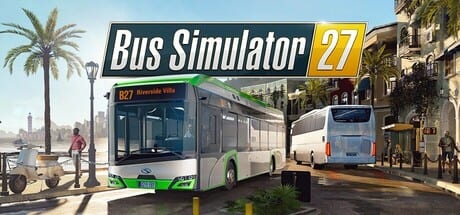
Bus Simulator 27 supports custom content through official mod.io integration on PC. Mods live in a separate ecosystem from the licensed bus roster: a modded bus from another player is a user-created asset, not an officially licensed vehicle, and it carries different expectations around quality, compatibility, and availability. This page covers what official mod.io support actually delivers, what console players should know about crossplay boundaries, and which graphical tweaks the Unreal Engine 5 community uses for Felicia Bay.
The demo does not include the mod.io kit. Mod support is a full-game feature launching on or around 8 September 2026.
Official mod.io integration
Simteract has confirmed official mod.io support for Bus Simulator 27 on Windows. Players can browse, download, and install community-created buses, liveries, and other content through the mod.io platform. This is the same system used by a growing number of simulation and open-world games, and it provides a structured alternative to file-share sites and Discord uploads.
Mod.io integration is PC-only. PlayStation 5 and Xbox Series X|S players cannot access community mods. In a 4-player crossplay session, a PC player driving a modded bus will appear as a generic vehicle to console players in the same lobby. That is a crossplay boundary, not a bug. Do not file a support ticket expecting the console to load a PC-only mod file.
Content uploaded to mod.io becomes community property under the platform’s standard licence. Do not upload licensed real-world bus liveries without the manufacturer’s permission; the legal risk sits with the uploader, not with Simteract or astragon.
What kinds of mods exist
Based on the broader modding community that surrounds Bus Simulator Ultimate and earlier Simteract titles, PC players can expect:
Custom buses: user-built bus models with custom paint jobs and configurations. These are not licensed vehicles — they are fan-created interpretations of real-world types. Quality varies significantly from a polished reskin to a mesh that behaves unpredictably in traffic.
Livery packs: individual bus skins and full fleet liveries. These are lower-risk downloads because they replace only the texture on an existing model, not the physics or collision mesh.
AI traffic mods: files that alter the density, behaviour, and vehicle types in Felicia Bay’s traffic stream. These can help on lower-end PCs where traffic is a primary performance cost.
UI and HUD tweaks: quality-of-life modifications to the in-bus display, timetable overlay, or dashboard gauges.
Camera and accessibility mods: changes to field of view, camera positions, or colour-blind options not yet offered in the base game’s settings.
Community videos from the June 2026 demo period show players discussing Logitech G923 configurations, FSR versus DLSS comparisons, and screenshot work in Mequina’s coastal district. None of that requires a mod; it is all achievable through base-game settings.
How to install and manage mods
mod.io integration is in-game for the full release. Open the mods section from the main menu, browse by category, and subscribe to content you want. Subscribed mods download and update automatically. The process does not require dragging files into the game directory manually.
Managing multiple mods simultaneously can create unexpected interactions. A custom bus mod that changes the vehicle’s collision box may behave differently when AI traffic reacts to it, or when the game’s physics engine processes it on a steep Alcaztelar grade. If a mod causes crashes or erratic behaviour, disable it first before troubleshooting other systems.
Unreal Engine 5 graphical tweaks
Beyond content mods, the PC community applies standard UE5 configuration tweaks for Bus Simulator 27. These are not official mods — they are console-variable adjustments that players share in forums and Discord.
Commonly discussed tweaks include:
Scalability settings: adjusting shadow distance, foliage density, and post-processing quality to find a better performance-to-visual ratio than the built-in Low/Medium/High presets.
Frame rate caps: limiting the frame rate to reduce GPU load on laptops and mobile GPUs. A cap at monitor refresh rate or below eliminates the wasted rendering that full-speed FPS causes on weaker hardware.
DLSS and FSR configuration: not a mod but a driver-level setting. AMD’s HYPR-RX and NVIDIA’s app-level DLSS toggles can sometimes achieve better results than the in-game upscaler menu alone.
Do not follow unverified tweak guides that ask you to edit Unreal Engine configuration files directly. Incorrect changes can cause crashes that require a file restore. If a tweak requires editing .ini files, back up the original first.
Mods and the save file
Installing a mod does not break existing saves. However, if a mod modifies a bus that appears in an active save — for example, a livery pack that changes the Solaris Urbino 12 electric’s appearance — the game may reload the bus texture on next load. This is usually harmless. Removing a mod that adds a custom bus to your garage will leave an empty slot in the save file; do not expect the game to replace it with a stock equivalent automatically.
What to read alongside this page
For base-game bus types, use the tier list hub. For hardware and input that the community discusses alongside mods, see steering wheels and graphics settings. For the licensed fleet and why official buses and modded buses occupy different categories, read the coach fleet and city buses pages. For crossplay boundaries in multiplayer, the multiplayer page has the console multiplayer subscription note.
Modding is a full-game PC feature. Do not attempt to load the mod.io kit from the demo. Recheck this page after the 8 September 2026 launch for any changes to the mod browser, upload process, or content policies.
Frequently Asked Questions
Quick answers about Bus Simulator 27.
Can console players use mods in Bus Simulator 27?
No. mod.io integration is PC and Windows-only. Console players in a crossplay session will see generic vehicle appearances for any modded content a PC player is driving.
Does installing mods affect my save file?
Usually not. Installing mods does not break existing saves. Removing a mod that added a custom bus to your garage may leave an empty slot in the save file.
Is the demo moddable?
No. The mod.io kit is a full-game feature. The demo (app 4311090) does not include the mod browser or any modding tools.
Are licensed bus liveries safe to upload as mods?
No. Uploading real-world manufacturer liveries without the manufacturer's permission carries legal risk that sits with the uploader. Community-created original liveries are safer.
What graphical tweaks work best for Mequina's traffic density?
Traffic density and pedestrian count are the primary simulation costs in dense city work. Reducing foliage and shadow distance often helps more than lowering resolution. AI traffic mods can also reduce simulation load on lower-end hardware.
Where do I report a mod that crashes the game?
Report mod issues on the mod.io page for that specific content. For game crashes with no mod installed, use the official astragon or Steam support channels.